Log your hours, wherever you are
The project, the won quote, its lines by phase: you type your hours next to each line, with the work done. By voice too: “log 3 hours on job 2026-ING-07, line 2”. Everyone sees only their own hours, their numbered week and their jobs.
The progress of each job
Next to each line of the quote: hours spent against hours planned, in green, in orange above 75 %, in red above 100 %. Below, the detail per employee and, in one click, each entry with the work done.
Invoice the hours worked
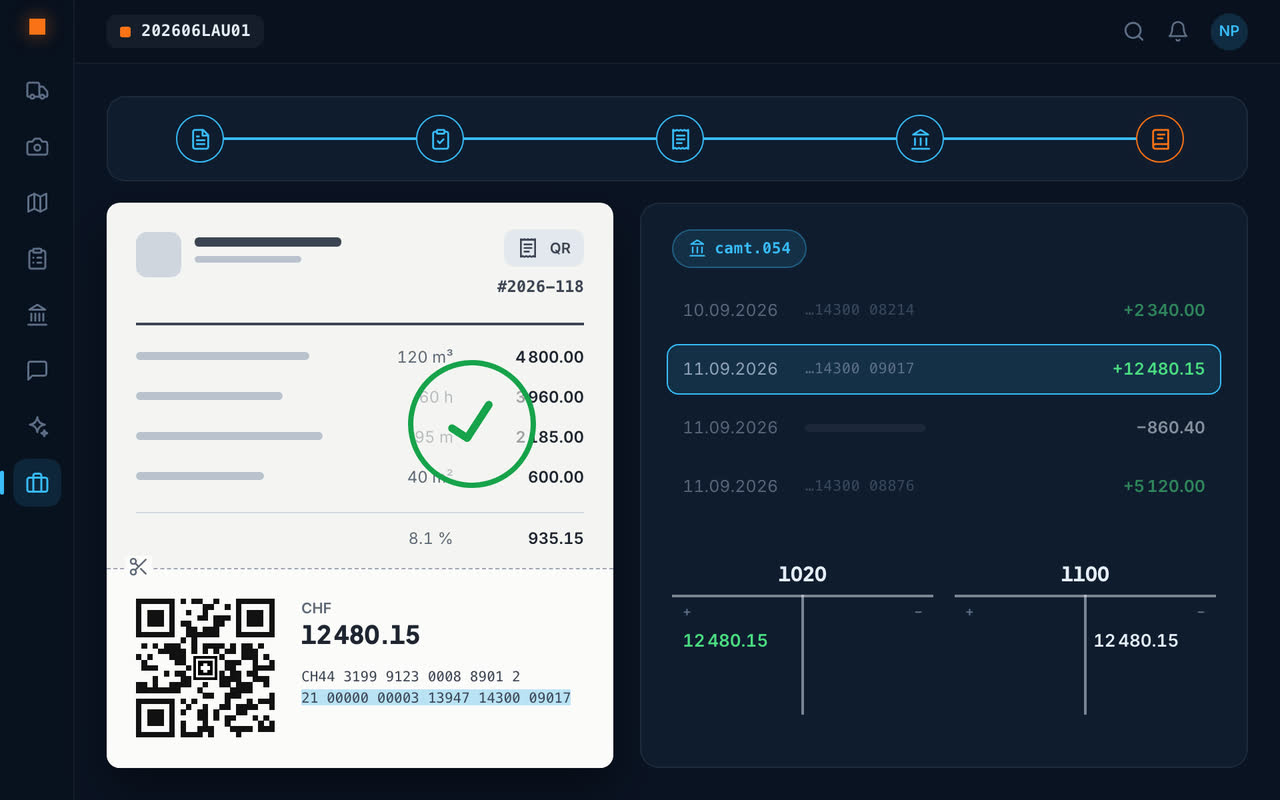
One click creates the invoice for the hours not yet invoiced: each line of the quote at its price, who worked on it and the work done in the description, the Swiss QR-bill at the bottom. Invoiced hours are marked: the next invoice only picks up the new ones.
The hours of a week or a job export to Excel or PDF, in the company's colours.
Frequently asked questions
How do I record my employees' site hours?
Each employee logs their hours in the Geovio app, on the quote line they worked on; management finds them per employee and per job.
How do I invoice time-and-materials hours?
From the won quote, “Invoice hours” creates a draft invoice for the hours not yet invoiced, with the Swiss QR-bill.
Can hours be exported to Excel?
Yes: the hours of a week, an employee or a job export to Excel or PDF.