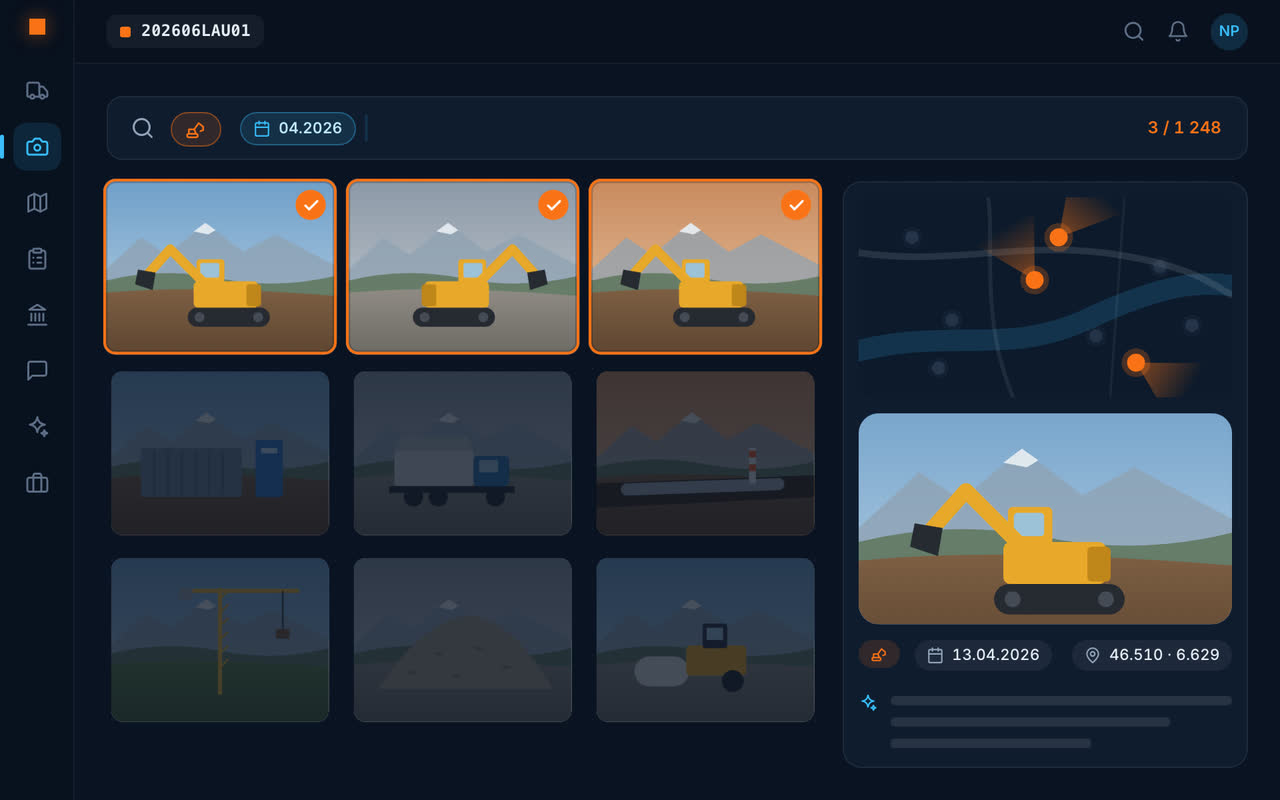
One photo, two seconds
From the phone, with position and time, even offline: the photo appears immediately and uploads in the background as soon as the signal returns.
The AI describes every photo
Location, equipment named by its function, materials, defects: the description is written on upload. The word you search for doesn't have to appear on the photo – “digger” finds an excavator – and the date goes in the same sentence: “oil stains March 2026”.
On the map, in the report, in the chat
Placed on the map
Every photo in its place on the site, with its viewing direction.
Site report
Choose photos: the report is written from their descriptions, as a PDF.
Site chat
A photo can be sent to the site's conversation, with read receipts.
Invasive plants
On a photo of a plant: the species, its Latin name and the list – black list or watch list – it appears on.
Frequently asked questions
How should construction site photos be organised?
With Geovio, every photo is filed under its site the moment it is taken, dated, placed on the map and described by AI. There is nothing to sort or rename.
Can I find a site photo without knowing its date?
Yes: you search in everyday language, for what the photo shows. A date can be added in the same sentence to narrow it down.
Are photos sent without network?
They wait on the phone and are sent automatically as soon as the network returns.
Can I make a photo report of the site?
Yes: you choose the photos, and the site report is written from their descriptions.