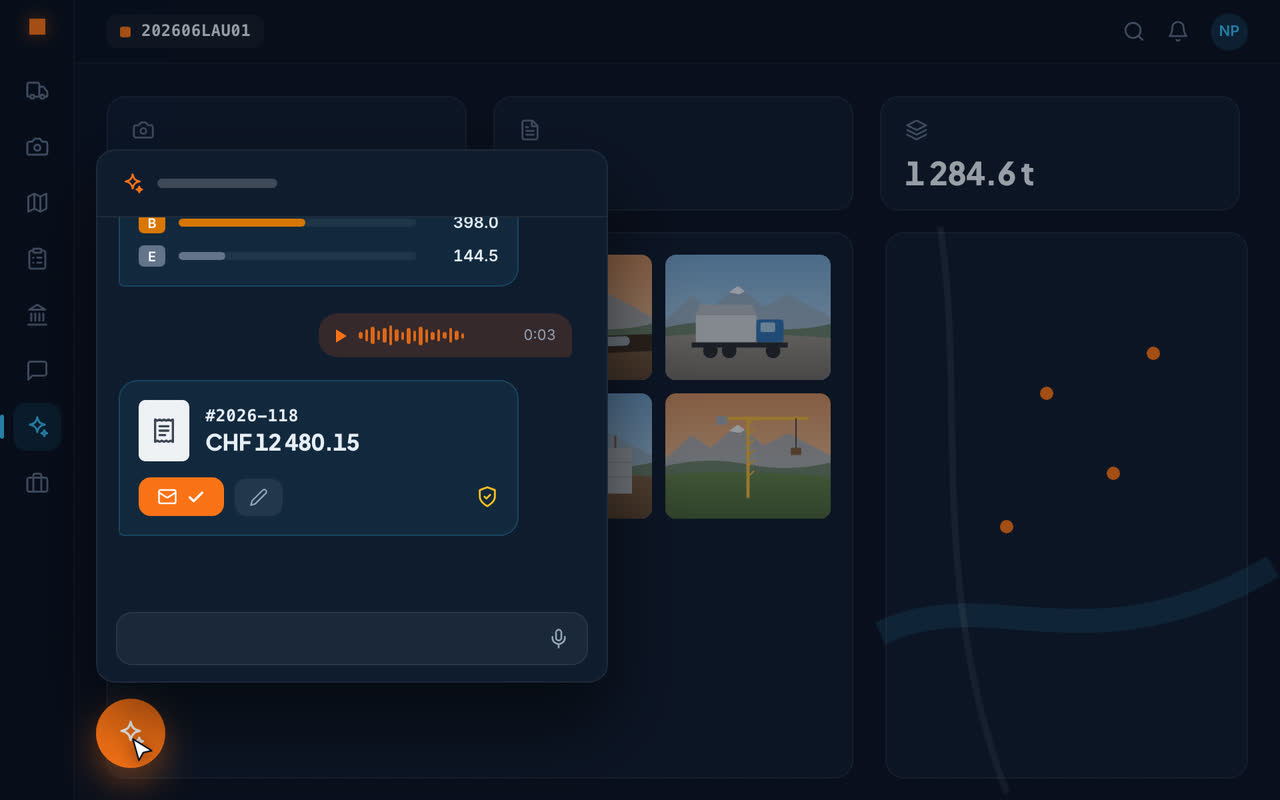
What the AI reads for you
Disposal and weighbridge tickets
Haulier, date, material, quantity, disposal site – captured from a photo or PDF, without typing.
Site photos
Every photo is described on upload: location, machines, materials, defects. You then find it again in everyday language.
Tender files
A whole file, minutes, a contract: ask your questions, every answer cites the document and page.
Supplier invoices
The invoice received is read; all that's left is to check it.
Plants
On a photo of a plant: the species, its Latin name, and whether it is on the black list of invasive species.
What the AI prepares for you
The site report from the photos you choose. The NPK/CAN positions matching the work you describe. The sorting of SIMAP tenders by your trade. The draft of a quote, an invoice or a reminder, written or dictated from the van.
You stay in control
Anything that sends or deletes waits for your confirmation. The assistant prepares; you decide. Every answer about a document says which page it relies on, and says plainly when the document doesn't answer – rather than making something up.
Frequently asked questions
What is artificial intelligence used for on a construction site?
To remove data entry and searching: reading disposal tickets, describing and finding photos, questioning tender files, reading supplier invoices, preparing quotes, invoices and reports. Geovio does it in a single app.
Where is data processed by the AI?
Geovio's data is stored in Switzerland, in Zurich and Geneva. The AI features rely on Google Gemini: the content concerned (the photo, the ticket, the document) is sent to it at the time of analysis. Details are in the privacy policy.
Can the AI send something without my approval?
No: the assistant prepares drafts, but every send and every deletion waits for your confirmation.
Do I need to know how to use AI?
No: you take a photo, write or speak as you would to a colleague. There are no commands to learn and no settings to make.