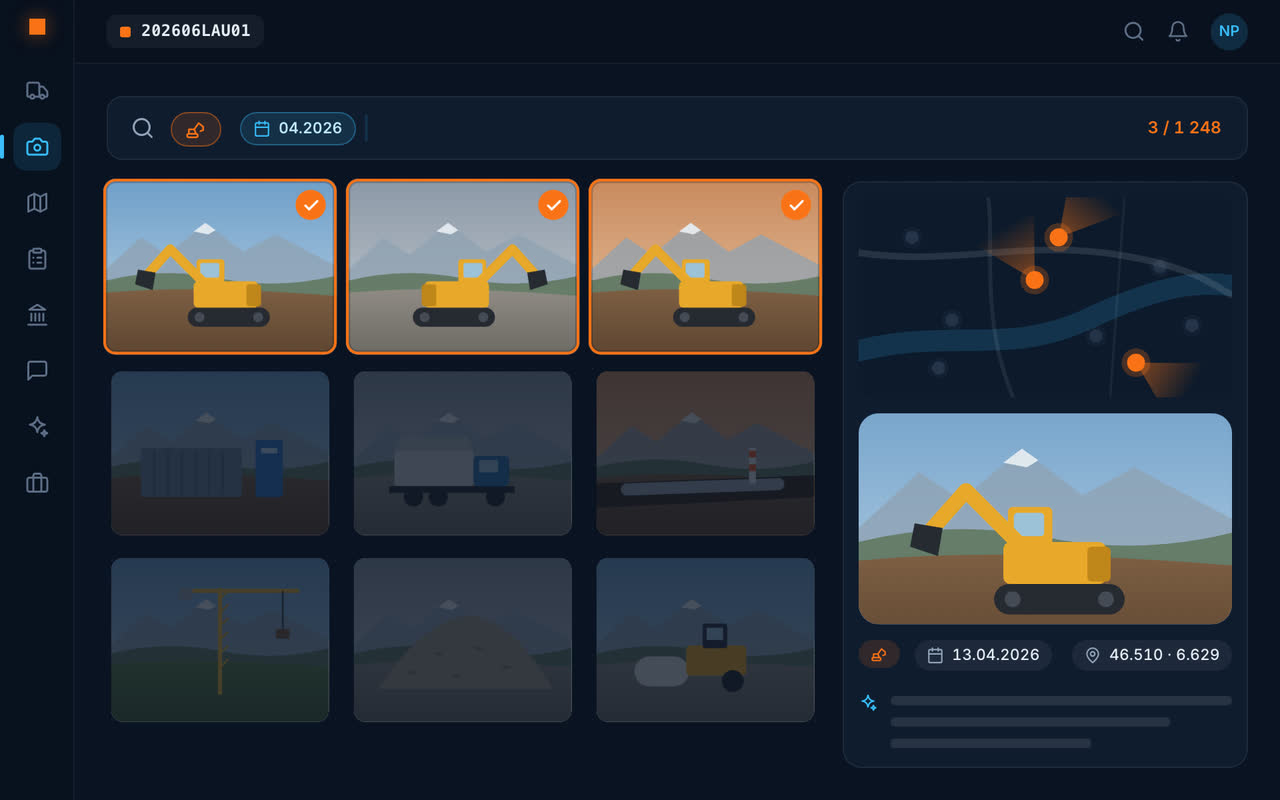
The overview
All sites on one map
Each site in its place, with its located photos around it.
Each contract's progress
For the business owner: the hours planned in the won quote, those already spent, what remains, item by item, in green, orange or red.
Today's photos
What was done today, on every site, without travelling.
Tickets received
The day's removals, read by AI, and the up-to-date tonnage summary.
Conversations
One conversation per site: you read what was said without calling.
A typical Monday morning
On the map, six sites. On the first, the gauge for the “earthworks” item turns orange: 80 % of the planned hours have been used. On the second, the week's disposal tickets have come in. On the third, a photo from yesterday shows an unrecorded pipe, and the conversation says the site supervision has been informed. In ten minutes, the week is under way — without a single call.
The assistant also answers direct questions: “how many tonnes have left the station site?”.
What Geovio does not do
Geovio follows what is being done on the sites; it does not schedule teams and does not replace a planning tool (Gantt chart).
Frequently asked questions
How do you monitor several construction sites at once?
With a tool that shows, site by site, the day's photos, the tickets received, the hours spent and the conversations. In Geovio, all sites are on one map and each contract's progress can be read in hours.
Can you see whether a site is going over its hours?
Yes: for each won quote, Geovio compares planned hours and hours spent, item by item, with a colour code.
Does Geovio do team scheduling?
No: Geovio follows what is being done on site; it does not replace a planning tool.