What a good site report contains
The date and the site; the work done and progress; the people present; events, defects and decisions taken; and photos that prove what is written. It is the dated, located photos that give a report its value in a dispute.
How Geovio writes it
1. The day's photos
Taken on the phone, with position, direction and time.
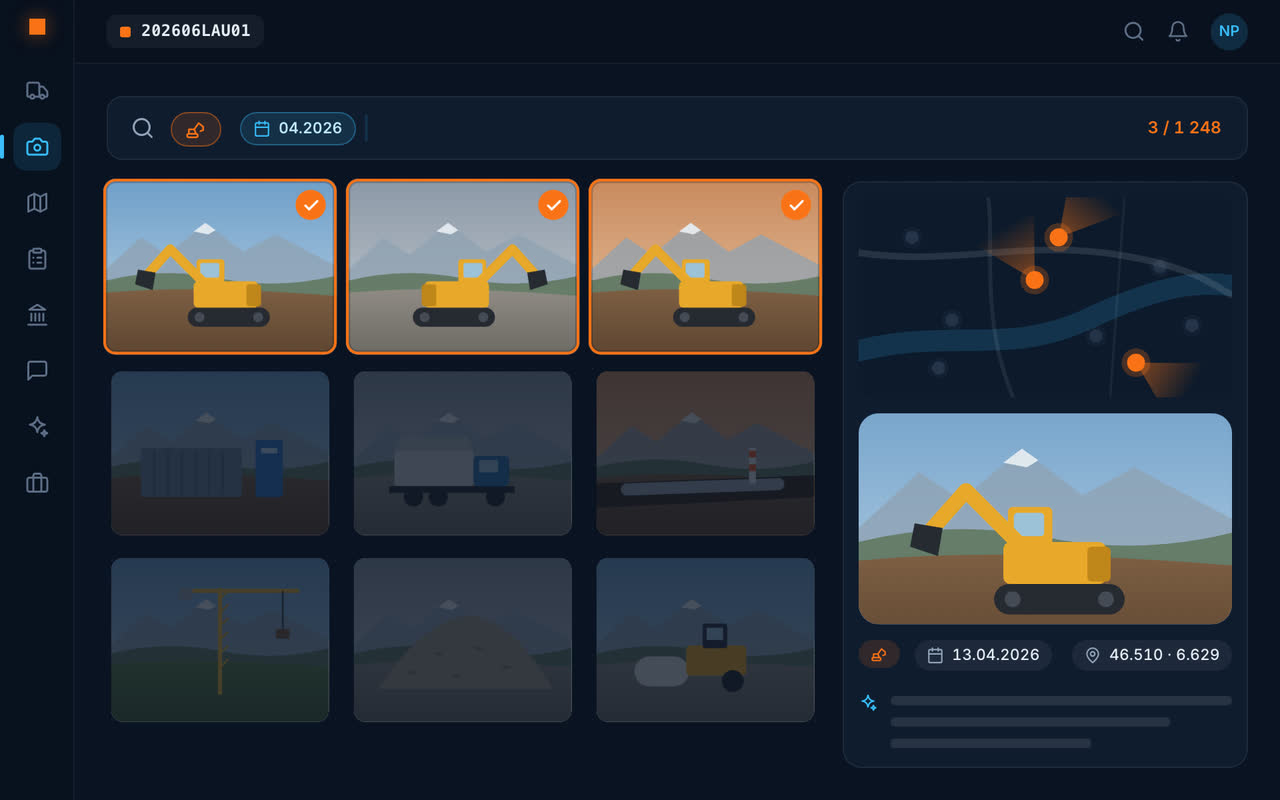
2. The AI describes them
Location, machines, materials, defects: every photo is described on upload.
3. You choose
The photos that matter for the report, over the day, the week or an area.
4. The report is written
The text is drafted from the descriptions; you review it and export it as a PDF.
The whole history, searchable
Months later, “south trench March 2026” brings back that day's photos. The report is no longer the only witness: every photo stays in its place on the site map.
An example: the pre-works condition survey
Before excavating at the foot of a building in La Chaux-de-Fonds, the team photographs the existing cracks in the neighbouring façade. Six months later, the neighbour complains: “cracks neighbouring façade” brings back the photos from day one, dated and located, and the initial condition report is redone in a minute.
It is the same step for the foreman's daily report, the weekly update to the client or the end-of-works file: only the chosen period and area change.
Frequently asked questions
What should a construction site report contain?
The date, the site, the work done, the people involved, events and decisions, and dated, located photos as evidence.
How can I write a site report quickly?
With Geovio, you choose the day's photos: the report is written from their descriptions and exported as a PDF.
Are the report photos dated and located?
Yes: position, viewing direction and time are recorded on capture.
Can I document the condition of a site before works start?
Yes: photograph what is there before you start. The dated, located photos, and the report written from them, keep proof of the initial condition.